Skip to content

Shipping Nationwide. Call (323) 530-0600

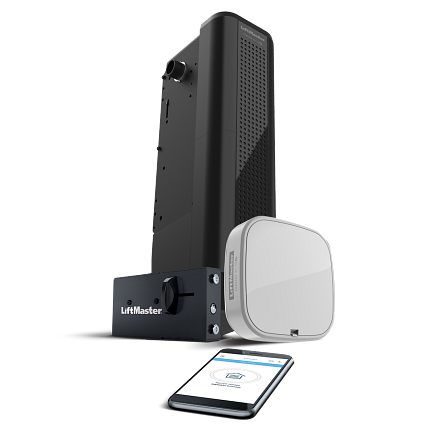
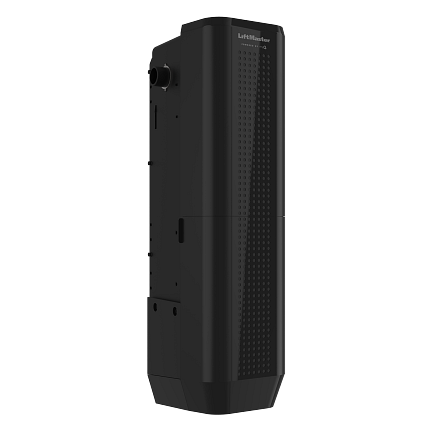
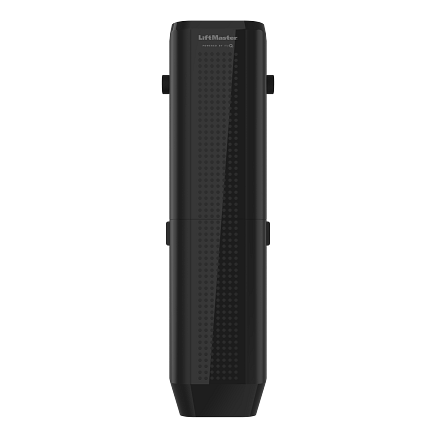
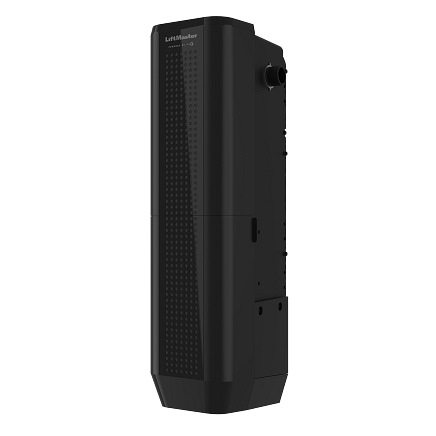
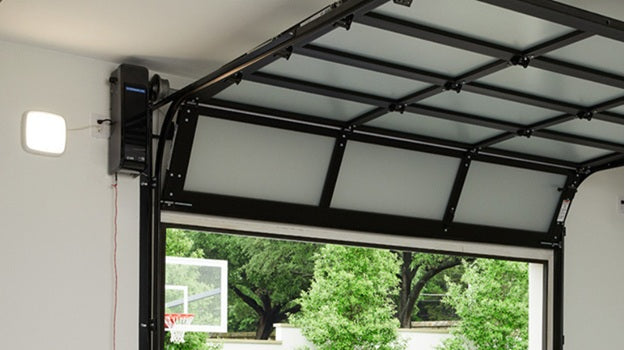
LiftMaster Jackshaft - 98032 Elite Premium Series - DC Battery Backup Heavy Duty Wall Mount Wi-Fi

Elite Series Heavy Duty DC Battery Backup Wall Mount Wi-Fi Garage Door Opener [Model #98032]

  • UL325 Certified Lifts Doors 400lbs. to 1100lbs.
  • Sleek and modern design frees up space in the garage.
  • No cable tension monitor means easier installation.
  • Fast, smooth operation – even for tall and heavy doors. Ultra-quiet and vibration-free operation.
  • Remote LED lighting gives full garage light coverage.
  • Battery backup ensures access in the case of power loss.
  • Warranty: 1 Year Accessory Warranty, Lifetime Motor Warranty, 5 Years Parts Warranty, 1 Year Battery Warranty

Plan your garage door project

Garage door options & specifications
Brand
Liftmaster

Check the product description and selected configuration for included panels, tracks, hardware and opener components. Freight, taxes, availability and lead times will be confirmed with your quote.

How to measure your garage door

Use a tape measure and record everything in inches. Measure the finished opening from inside the garage. These measurements help us prepare your quote; have a qualified installer confirm them before ordering.

Garage opening measurement diagramA is the opening width, B is the opening height, C is clearance above the opening, and L and R are clearances to the left and right. Backroom is measured from the opening into the garage and is described below. A · Opening widthB · HeightC · HeadroomLRInside view · Diagram is not to scale
  1. A — Opening width. Measure between the finished left and right jambs at the top, middle and bottom. Record all three if they differ.
  2. B — Opening height. Measure from the finished floor to the underside of the header at the left, middle and right. Note any slope or uneven floor.
  3. L and R — Sideroom. Measure from each side of the opening to the nearest wall, post or obstruction. Record the left and right clearances separately.
  4. C — Headroom. Measure from the top of the opening to the lowest ceiling obstruction, such as a beam, pipe, light or opener.
  5. Backroom. Measure straight back into the garage from the opening to the nearest obstruction along the planned track and opener path. Include beams, ducts and shelving.
  6. Send your notes. Include these measurements, your delivery ZIP code, door model and photos of the opening, framing and ceiling with your quote request.

Before ordering: Track, lift, spring and opener choices determine the required clearances. Roll-up and specialty doors require their specific manufacturer drawings; there is no single clearance that fits every door.

Measure only from a safe position. Do not loosen or adjust springs, cables, brackets or tracks. Have a garage-door professional handle those components.

Compare products

{"one"=>"Select 2 or 3 items to compare", "other"=>"{{ count }} of 3 items selected"}

Select first item to compare

Select second item to compare

Select third item to compare

Compare

Share this product with friends

  • Email
  • Pinterest
  • Facebook
  • X
  • TxT

Share this garage door

Text message Email Facebook Pinterest X

Text sharing opens your device's messaging app, if available.

Lux Garage Doors

Accessibility toolbar

Preview changes instantly. Done only closes the toolbar.

Text and zoom
Text size
0
Letter spacing
0
Line height
0
Word spacing
0
Page zoom
0
Colors and emphasis

For compatible page audio/video. Does not boost read-aloud or embedded players.

Reading and focus
How to use reading aids

Close the toolbar, then move your pointer or use the up and down arrow keys to move the reading band.

Listen and language
About read-aloud

Read selected text or the main page content with your browser’s voice. Availability varies by browser and device; voices may use a browser service. This controls read-aloud volume only.

Translate page ↗
About Google translation

Opens Google Translate in a new tab and shares this public page URL. Account, cart and checkout pages use the homepage. Translation may vary. If unavailable, use Translate in your browser’s menu or address bar.

Help and preferences

Preferences are saved only in this browser. Reset clears them. These tools support personal preferences and do not replace assistive technology or resolve every accessibility barrier.

Accessibility statement · Request assistance